Click Event in IG-Selector
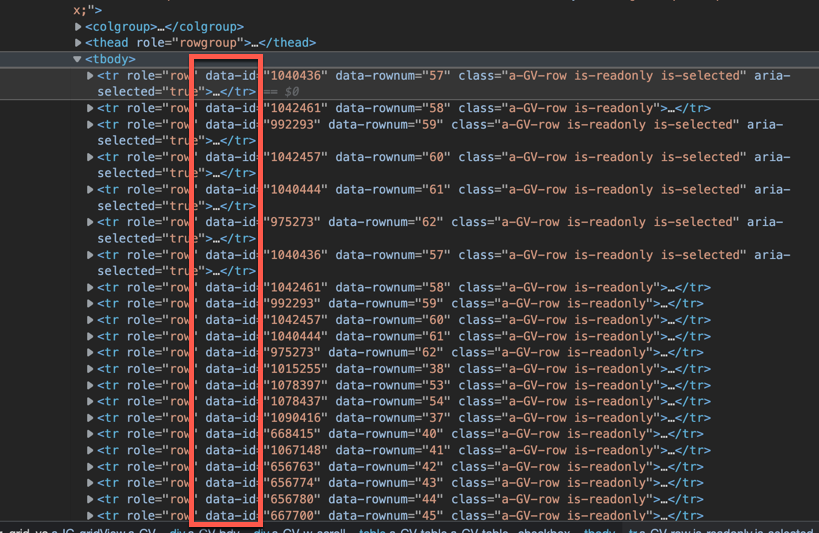
IG 勾選時,條件符合下不能勾選 Dynamic Action When Event : Click Selection Type : jQuery Selector jQuery Selector : .u-selector Advanced Event Scope : Dynamic var $te = $(this.triggeringElement); var rowId = $te.closest('tr').data('id'); //Primary Key var ig$ = apex.region("region_static_id").widget(); var model = ig$.interactiveGrid("getViews", "grid").model; var record = model.getRecord(rowId); var a = model.getValue( record, "AAA"); //column name : AAA var b = model.getValue( record, "BBB"); //column name : BBB /* apex.item( "Px_AAA" ).setValue (a); apex.item( "Px_BBB" ).setValue (b); */ if (a === b) { $(this.triggeringElement).removeClass("is-selected"); } #About : Primary Key




留言
張貼留言